
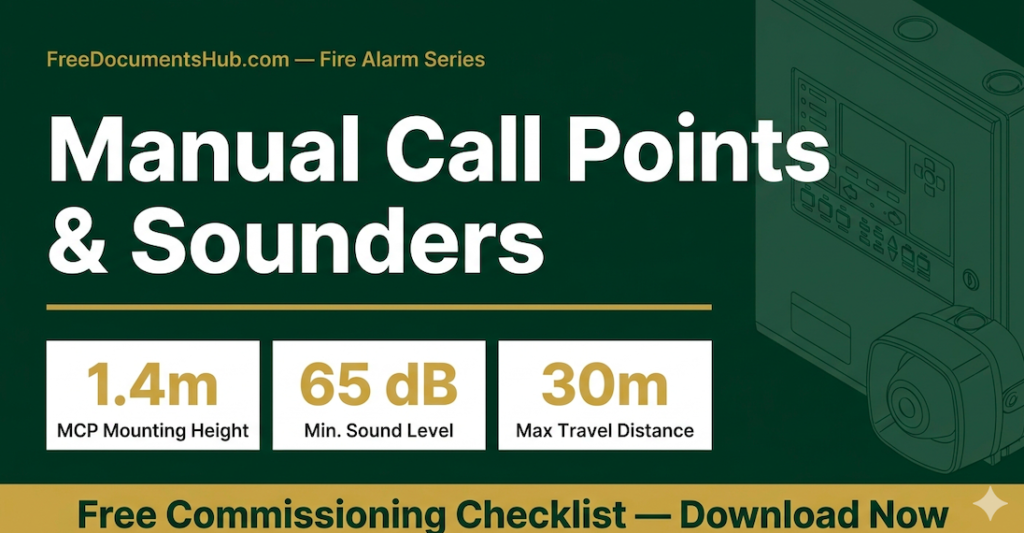
Manual Call Points and Sounders:
What Every Gulf Site Engineer Must Know
A complete field guide covering installation standards, common site failures, commissioning requirements, and a free Excel checklist — built from 19 years of Gulf industrial project experience.
Walk onto any fire alarm project in the Gulf — Saudi Aramco, SABIC, a camp project, a hotel, an industrial facility — and two devices are guaranteed to be there on every floor, every zone, every exit route. The Manual Call Point and the Sounder.
They look simple. A red box on the wall. A plastic horn on the ceiling. Many engineers treat them as afterthoughts — install them, connect the wires, move on. But these two devices are the last line of defence between a person and a fire they cannot escape.
When an MCP fails to register at the panel, or a sounder cannot be heard at 65 dB across the floor, or a break-glass element is installed at the wrong height — it is not a paperwork failure. It is a life-safety failure. And on a Gulf project, it can also be a project hold, a non-conformance report, or a failed commissioning witness test in front of your client.
This guide covers everything you need to know — from understanding why these devices exist, to the exact site problems that keep appearing, to how to commission them correctly and pass your inspection first time.
What Are Manual Call Points and Sounders — and Why Do They Exist?
Before you can install, test, or commission these devices correctly, you must understand their purpose and how they fit into the fire alarm system as a whole.
The Fire Alarm System — A Quick System Overview
A fire alarm system has one job: detect a fire event and alert all occupants in time to escape safely. The system consists of initiating devices (things that detect or report a fire) and notification devices (things that warn people). Manual Call Points and Sounders sit at the heart of both categories.
The Fire Alarm Control Panel (FACP) is the brain. Everything connects to it. When an initiating device activates — whether a smoke detector, heat detector, or manual call point — the panel processes the signal and activates the notification devices on the correct zones. The sounder is the primary notification device the occupant hears.
Understanding this relationship is critical. The MCP and sounder do not work independently. They are part of a system. A fault in the wiring loop, an incorrect address on the FACP programming, a wrong end-of-line resistor — any of these can prevent a sounder from activating even when the MCP is correctly operated. This is why your inspection must always be system-level, never device-level only.
What Is a Manual Call Point (MCP)?
A Manual Call Point — also called a break-glass unit, manual pull station, or fire call point depending on the standard and region — is a wall-mounted device that allows any person in a building to manually activate the fire alarm system the moment they see or smell fire. They do not need to wait for a smoke detector to respond. They do not need to call anyone. They break the glass, press the button, or activate the element — and the entire alarm system responds immediately.
This is the key design philosophy: the MCP gives every person in the building the power to trigger an alarm faster than any automatic detector can. In a kitchen fire that starts with a flash — before smoke reaches the ceiling — an MCP is the only device that can save lives in those first seconds.
Types of Manual Call Points
| Type | How It Works | Typical Application | Notes |
|---|---|---|---|
| Break-Glass | User breaks thin glass element with finger or key to close the alarm circuit | Most common in Gulf — offices, corridors, industrial facilities | Resettable element must be replaced after each activation or test |
| Push-Button | User lifts protective cover and presses button | Hotels, hospitals, clean environments | Lower false-alarm risk — cover provides physical barrier |
| Key-Operated | Requires key to activate | High-security or restricted areas | Not suitable where general public access is required |
| Addressable | Communicates exact location data to FACP via digital protocol | All Saudi Aramco and SABIC projects — mandatory | Each device has a unique address — panel knows exact zone and point |
| Conventional | Zone circuit — panel knows which zone activated, not exact device | Smaller buildings, legacy systems | Not accepted on Aramco projects — addressable required per SAES-B-058 |
What Is a Sounder?
A sounder is an electronic audible alarm device. When the FACP activates the notification circuit, the sounder produces a loud alarm tone that alerts all occupants in the zone to evacuate. The sounder is not merely a noise-maker — it is a precisely engineered life-safety device with specific requirements for sound level, tone pattern, coverage area, and power supply.
On Gulf projects, sounders are almost always combined with visual alarm devices — strobes or beacons — particularly in noisy industrial environments such as compressor rooms, generator rooms, and kitchen extraction areas where the ambient noise level makes an audible-only alarm insufficient.
Sounder Categories
| Category | Description | Standard | Typical Location |
|---|---|---|---|
| Wall-Mounted Sounder | Single audible device fixed to wall — most common type | EN 54-3 | Corridors, offices, stairwells |
| Sounder-Beacon Combination | Audible sounder with flashing xenon or LED strobe in one unit | EN 54-3 / EN 54-23 | Kitchens, plant rooms, noisy areas |
| Sounder Base | Replaces standard detector mounting base — adds local audible alarm | Manufacturer specific | Corridors — reinforces system coverage without extra cabling |
| Outdoor / IP-Rated Sounder | Weatherproof enclosure rated IP65 or above | EN 54-3 / IP65 | External areas, perimeter, camp gates |
| Ex-Rated Sounder | Explosion-proof or intrinsically safe — for hazardous areas | IEC 60079 / ATEX | Oil & gas processing areas, classified zones |
On Saudi Aramco projects: all fire alarm devices in classified (hazardous) areas must be Ex-rated per IEC 60079. Confirm area classification before selecting sounder model. This is a common rejection point during Aramco vendor approval.
The Most Common MCP and Sounder Failures on Gulf Projects
These are the problems found repeatedly on site visits, commissioning inspections, and client witness tests across Saudi Aramco, SABIC, camp, and industrial projects in the Eastern Province.
Every engineer knows the theory. The problems appear on site because of time pressure, subcontractor shortcuts, poor supervision, or simply not knowing the correct standard. Here are the failures that appear most often — and exactly why they are serious.
MCP Installation Problems
Problem 1 — Wrong Mounting Height
This is the single most common MCP non-conformance found on site. The MCP is installed at door-switch height — around 1.1 to 1.2 metres — or at a convenient conduit routing height — sometimes as high as 1.7 metres. Both are wrong.
NFPA 72 and BS 5839-1 both require the Manual Call Point to be mounted at 1.4 metres from finished floor level (FFL) to the centre of the unit. This height is not arbitrary. It is set so that a person of average height can reach and operate the MCP quickly under panic conditions. Too low and a person reaching down in smoke-filled air may not find it. Too high and a shorter person, a person in a wheelchair, or a person in distress may not be able to operate it at all.
On witnessed commissioning tests for Aramco and SABIC projects, inspectors carry measuring tapes. MCPs found at incorrect height are immediately raised as an NCR (Non-Conformance Report). The contractor must physically relocate the back-box and re-cable. This costs hours on a live commissioning day and delays the milestone payment certificate.
Problem 2 — MCP Obstructed or Inaccessible
The MCP is installed behind a door, blocked by a storage cabinet placed against the wall, hidden around a corner with no directional signage, or inside a locked room that a general occupant cannot access. All of these are life-safety failures. NFPA 72 Clause 17.14 requires that MCPs be accessible at all times. Obstruction is a code violation, not a minor snag.
On camp and kitchen projects specifically — where spaces are reorganised after commissioning — this is a recurring problem. Equipment moves. Shelving units appear. The MCP that was clear on commissioning day is blocked six weeks later when the client’s facility team rearranges the kitchen store. This is why a post-handover inspection regime matters, not just a commissioning tick.
Problem 3 — Incorrect Address or Zone Programming
On addressable systems, each MCP has a physical address set on the device — typically by rotary switches or DIP switches on the unit itself. If the address set on the device does not match the address programmed in the FACP loop schedule, one of two things happens: the panel either ignores the device entirely, or assigns the activation to the wrong zone, sending emergency response to the wrong location.
This problem appears most often when devices are replaced after damage during construction, when a subcontractor installs devices without checking the loop schedule, or when the FACP programming is done by a different team than the field installation team. The fix is simple — a full loop walk-through comparing physical device addresses against the FACP zone schedule before commissioning — but it is frequently skipped under time pressure.
Problem 4 — No Resettable Element Replacement After Test
After a break-glass MCP is activated during a commissioning test, the glass element must be replaced with a fresh resettable element before the system is handed over. On projects where multiple MCPs are tested in sequence, the resettable elements often run out, or the team forgets to replace them, and the MCPs are handed over in an activated or non-functional state. A client walking around post-handover will immediately see broken MCPs and raise a defect — or worse, the MCP cannot be operated in a real emergency because the element is already broken.
Sounder Problems
Problem 5 — Insufficient Sound Level at Far Points
The sounder is installed, the system activates, the sounder produces noise — but nobody checks the actual decibel level at the far end of the zone. On large open-plan areas, warehouses, and long corridors in camp facilities, a single sounder is often not sufficient to achieve the required 65 dB(A) at the furthest occupied point. The designer specified additional sounders on the drawing, but the contractor installed only one to reduce material cost. The commissioning test passes because the inspector is standing next to the sounder. Three months later, a fire drill reveals that the last three rooms on the corridor cannot hear the alarm clearly.
NFPA 72 Clause 18.4.3 and BS 5839-1 Clause 17.2 both require a minimum of 65 dB(A) at any occupied point in the building, measured 1 metre from the floor. In sleeping areas — dormitories, rest rooms, hotel rooms — the minimum rises to 75 dB(A) at the pillow level (1 metre above the mattress). These measurements must be physically taken with a calibrated sound level meter during commissioning. A visual check is not sufficient.
Problem 6 — Strobe Synchronisation Failure
When multiple visual alarm devices (strobes / beacons) are installed in the same room, they must flash in synchronisation. NFPA 72 Clause 18.5.4 is explicit: multiple strobes visible simultaneously from the same location must be synchronised to avoid the neurological risk of inducing photosensitive seizures in occupants. When strobes are purchased from different manufacturers, or when the FACP output module driving them does not support synchronisation, the strobes flash at different rates — which is both a code violation and a direct health hazard.
The fix is simple in design — specify synchronised strobes from a single manufacturer, driven by a panel output that supports sync signals — but frequently missed at the procurement stage when subcontractors source devices from different suppliers.
Problem 7 — Sounder Wiring Polarity Reversed
Sounders are polarity-sensitive. Connect the positive terminal to the negative wire and the sounder will not activate, or in some cases will activate briefly and cut out. On large projects where multiple subcontractors are running cable simultaneously, polarity reversal happens — particularly at junction boxes where cables from different runs are joined. The fault is invisible until the commissioning activation test, at which point a sounder fails to sound, a fault trace is required, and the wiring must be opened and corrected.
The prevention is simple: a continuity and polarity check on every sounder circuit before the FACP is energised. This adds one hour of checking time and saves four hours of fault-tracing time on commissioning day.
Problem 8 — No Battery Backup Test for Sounders
NFPA 72 requires that the fire alarm system operate on battery backup for a minimum of 24 hours in standby mode, followed by 5 minutes of full alarm (all sounders activated). Many commissioning teams verify panel battery backup by checking the panel specifications — they do not physically isolate the mains supply and run the system on batteries for the required duration. The battery may be undercharged, undersized, or degraded. This is a commissioning shortcut that leaves the client with a system that will fail silently the moment there is a mains power failure — exactly when a fire emergency is most likely to occur on a Gulf site operating in extreme heat.
The MCP and sounder are the simplest devices on the fire alarm system. They are also the most important. When everything else fails — when the smoke detector misses the fire, when the suppression system delays — the MCP and the sounder are all that stands between the occupant and the emergency.
How to Install, Inspect, and Commission MCPs and Sounders Correctly
A structured, standards-based approach that eliminates the common failures and passes client witness tests first time.
MCP Installation — The Correct Method
Step 1 — Position Selection Before Cable Pull
Before any cable is pulled, the MCP position must be confirmed on the approved IFC (Issued for Construction) drawing. Do not rely on the subcontractor’s judgment for MCP placement. The drawing specifies the position for a reason — it has been calculated to ensure travel distance compliance (maximum 30 metres from any point in the floor area to the nearest MCP, per NFPA 72 Clause 17.14.6).
Walk the floor with the drawing. Confirm there are no obstructions — door swings, planned furniture, equipment footprints — that will block the MCP position. If there is a conflict, raise a Technical Query (TQ) to the engineer before installation. Moving an MCP after cabling is an expensive mistake.
Step 2 — Back-Box Installation and Height Check
Install the back-box (surface mount or flush mount as per specification) at precisely 1.4 metres from finished floor level to the centre of the back-box. Use a spirit level. Check the height with a measuring tape — do not estimate. Mark the height on the wall in pencil before drilling. On a project with 40 MCPs, if every one is 50mm high, all 40 fail the inspection. Consistent discipline at this step eliminates the most common NCR on site.
Step 3 — Cabling and Termination
Use the cable type specified — typically 1.5 mm² fire-resistant FRLS (Fire Resistant Low Smoke) twisted pair for addressable systems, or 1.5 mm² standard two-core for conventional systems. Strip no more than 8–10 mm of insulation at terminals. Use ferrule end-sleeves on stranded conductors before terminating at screw terminals — loose strands cause intermittent faults that are extremely difficult to trace. Check polarity at every termination: positive to positive, negative to negative, marked clearly on the cable with cable marker at both ends.
Step 4 — Address Setting (Addressable Systems)
Before fitting the MCP onto the back-box, set the device address to match the FACP zone schedule exactly. Photograph the address switch setting before fitting the cover. Record the address, tag number, loop number, and zone in the commissioning record sheet. Never assume the address — always verify against the issued FACP programming schedule.
Sounder Installation — The Correct Method
Sounder Placement Calculation
The number and position of sounders is determined by sound level calculation, not by guess or experience. The designer should provide a sound distribution calculation in the project documentation. If it is not available, you need a minimum one sounder per 100 m² of floor area for standard rooms, with additional sounders in areas with high ambient noise, in rooms separated by doors, or in sleeping areas where the 75 dB(A) requirement applies.
For wall-mounted sounders: mount at a height of 2.1–2.4 metres from FFL. Too low and the sound pattern is absorbed by furniture and occupants. Too high reduces perceived loudness at floor level where the occupant is standing.
Wiring the Sounder Circuit
On Class A (Style D) wiring — which is required on most Aramco projects for notification circuits — sounders are wired in a full loop. The outgoing cable leaves the panel, passes through every sounder in sequence, and the return cable comes back to the panel on a separate path. A single cable cut anywhere on the loop does not disable the sounders — each device can be reached via the other path. On Class B (Style B) wiring — a T-spur or radial circuit — a cable cut disables all sounders beyond the cut point. Always confirm which class of wiring the specification requires before running cables.
The End-of-Line (EOL) device — typically a resistor or active EOL module — must be installed at the correct point in the circuit. On Class B circuits, the EOL is at the last device. On Class A circuits, the loop itself provides the supervision. Missing or incorrectly placed EOL devices cause false faults on the panel that are time-consuming to diagnose.
Commissioning — The Correct Sequence
Follow this sequence on every MCP and sounder commissioning test. This is the sequence that passes Aramco and SABIC witness tests when followed correctly.
- Pre-test visual inspection: Before any power-on test, walk every MCP and sounder location. Check height, labelling, cable termination, physical condition, and address settings. Record pass/fail for each item on the inspection checklist. Do not start functional testing until all visual items pass.
- Panel zone verification: Before testing devices, print the FACP zone schedule and loop programming report. Confirm that every MCP and sounder address in the schedule matches the physical device addresses installed on site. Correct any mismatches before testing.
- Polarity and continuity check: Before energising sounder circuits, use a multimeter to check polarity at the panel terminals and at the last device in each circuit. Confirm End-of-Line resistance is within the specified range. This takes 20 minutes and prevents hours of fault-finding.
- Single device activation test: Operate each MCP individually. Confirm the FACP registers the correct address, zone, and location description. Confirm the correct sounders activate in the correct zones as per the Cause and Effect Matrix. Record response time — should be under 10 seconds.
- Sound level measurement: During sounder activation, measure the dB(A) level at the furthest occupied point in each zone using a calibrated sound level meter held at 1 metre height. Record the measurement. If below 65 dB(A), additional sounders are required.
- Ancillary output verification: Confirm all ancillary outputs operate correctly — gas solenoid valves close, HVAC shuts down, door releases activate, MCCB shunt trips operate — as per the Cause and Effect Matrix for each zone.
- Battery backup test: Isolate mains supply to the FACP. Confirm the system continues to operate on battery. Activate one sounder circuit and run for 5 minutes minimum on battery. Restore mains and confirm panel returns to normal without manual reset of battery.
- Reset and restoration: Replace all activated break-glass elements. Reset the FACP. Confirm system returns to normal state. Record final status on the commissioning completion certificate.
Documentation Required for Handover
A commissioning test without documentation is not a commissioning test. The following records must be completed and signed before the system can be handed over to the client:
- MCP and Sounder Visual Inspection Checklist — signed by inspector and witness
- FACP Zone and Loop Schedule — showing all device addresses and zone assignments
- Cause and Effect Matrix — showing which inputs trigger which outputs
- Sound Level Measurement Record — dB(A) readings at all test points
- Battery Backup Test Record — duration on battery and system behaviour
- Non-Conformance Register — all NCRs raised, actions taken, close-out dates
- As-Built Drawings — showing final installed positions of all MCPs and sounders
- Commissioning Completion Certificate — signed by contractor, client, and third-party inspector where required
Key Standards Summary
| Standard | Requirement | Applies To |
|---|---|---|
| NFPA 72 Cl. 17.14 | MCP accessibility, travel distance max 30m, mounting requirements | All NFPA projects — Aramco, SABIC, industrial |
| BS 5839-1 Cl. 25.2 | MCP mounting height 1.4m from FFL | BS-referenced projects — UK-managed contracts |
| EN 54-11 | MCP product standard — performance requirements for call points | Product selection and vendor approval |
| NFPA 72 Cl. 18.4 | Sounder activation, 65 dB(A) minimum at occupied areas | All NFPA projects |
| BS 5839-1 Cl. 17.2 | 75 dB(A) in sleeping areas, sounder placement rules | Camps, hotels, dormitories |
| EN 54-3 | Sounder product standard — sound level, tone patterns | Product selection and vendor approval |
| EN 54-23 | Visual alarm devices (strobes/beacons) — coverage, synchronisation | All visual alarm device selection |
| NFPA 72 Cl. 18.5.4 | Strobe synchronisation — multiple devices in same room | All multi-strobe installations |
Free Download — MCP & Sounder Site Checklist
Everything in this guide converted into a structured Excel inspection and commissioning checklist. 40 checkpoints across Visual Inspection, Functional Testing, Equipment Schedule, NCR Log, and Sign-Off. Ready to use on your next project.
⬇ Download Free Excel Checklist Direct download — no email required — FDH-FA-MCP-01Final Summary — What to Remember
Manual Call Points and Sounders are the most visible and most inspected devices on any fire alarm project in the Gulf. They are also the most frequently cited in non-conformance reports — not because they are complex, but because basic standards are overlooked under site pressure.
Remember the four numbers that inspectors check first: 1.4 metres (MCP height), 30 metres (maximum travel distance), 65 dB(A) (minimum sound level), 75 dB(A) (sleeping areas). Get these four right on every project and you will eliminate the most common NCRs before the witness test begins.
Use the free checklist above on every MCP and sounder installation. Document everything. Sign every record. Pass the inspection first time.